

Note
I will only be explaining the hardware aspect of this project, as the software aspect is written by AI for the prototype.
Choosing the hardware
I’ve been using the Beeline Moto 2 regularly for a year now and have been using it as a reference for this project.
So, first things first, I needed a display and something to run it. I’ve had experience with Arduino and Raspberry Pi over the past decade and thought these would be good options for this project.
But - the Raspberry Pi is a bit overkill for this project and the Arduino is a bit underkill. I needed something that was compact, had a good display, and was also easy to program. Which meant talking to Swpn.
Turns out ESP32 has multiple variants and the ESP32-S3 seemed to be a readily available option that was also compact and even had a good integrated round display. Here we go!
Working with ESP-32 S3
So I got a small round ESP-32 S3 module and started working on it. I needed to get a hang of how the ESP32 works and it’s limitations - so I started with the demo code on Waveshare’s Wiki. Once I got a hang of it, I started working on the code for the navigation application. And since this was 2025, LLMs were a thing and I decided to use the ones I had subscriptions for to create a simple vector rendering of the routes & map
Getting the Map Tiles
I left it after the previous tests for a few months and happened across videos on YouTube about how to get the map tiles from OpenStreetMap and even theme it to look like a game map.
And we were back in it, first test with a basic HTML setup -
I ended up getting a slighting larger display and then changed out the styling a little bit to make it look more like a game map.
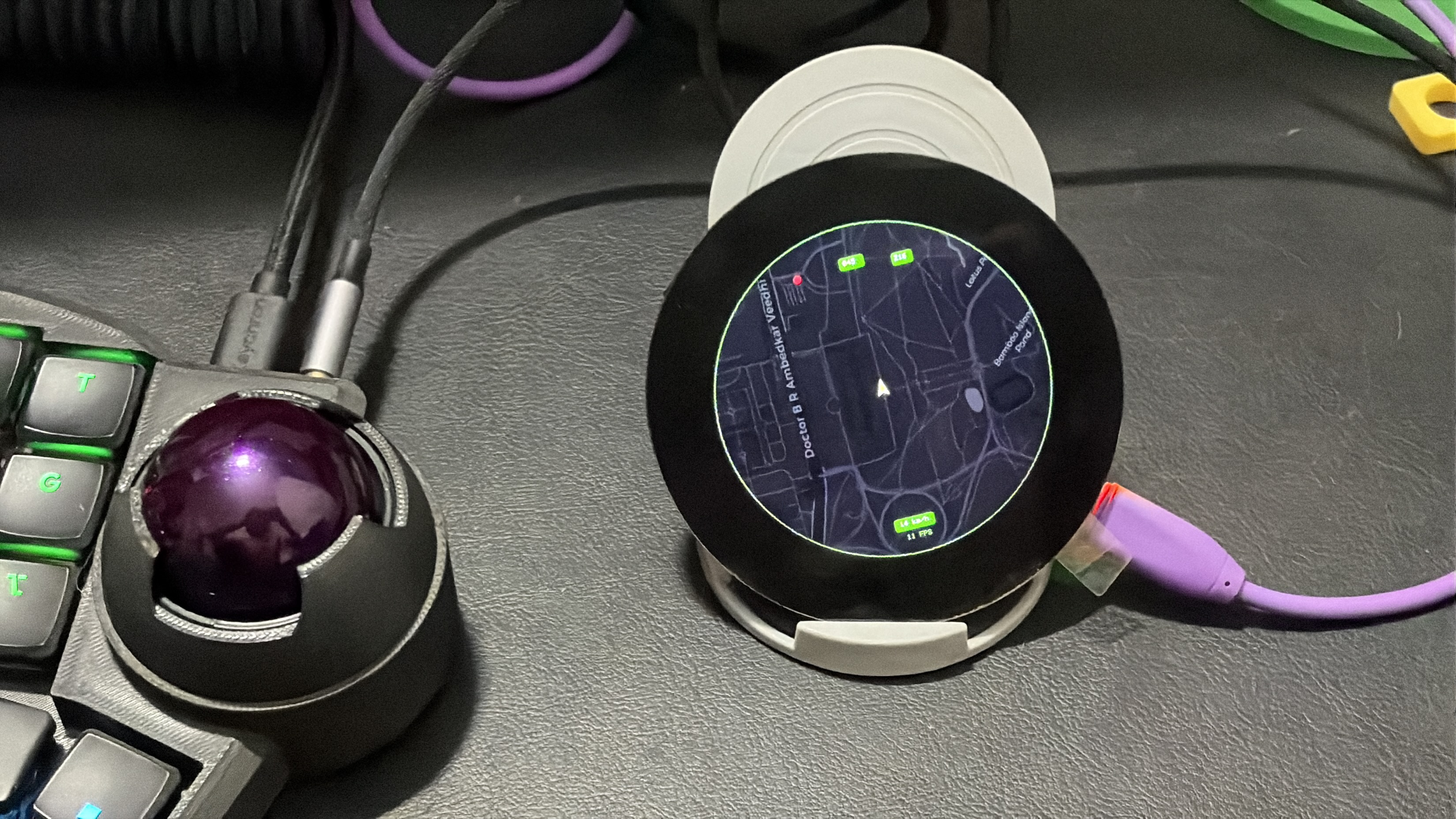
Right now, this prototype just runs a preset route between Cubbon Park & Bangalore Palace with the themed map tiles from OSM. It’s not the prettiest thing in the world, but it works!
Last Updated 10 Mar 2026